
Welcome to Weather-Above



Mission control
After we assembled the earthquake instrument we connected the power,then the serial cable to the computer, the next stage was to run mission control.
Seismometer
First make sure the programme has picked up the instrument on the correct comport, you can see in the middle panel labelled,Seismometer ,I am using Comport {2} and the Baud is set to {19200}


LevelPlayer
Use the up or down buttons to make micro adjustments to the levelling of the instrument,you are aiming for the green bubble to be in the centre of the servo range, it is important to watch the data stream, you are aiming for the data stream to read somewhere below +/ - 2000 , if it's possible try to get the data stream as low as possible, while maintaining the green bubble in the centre of the LevelPlayer
Superscope
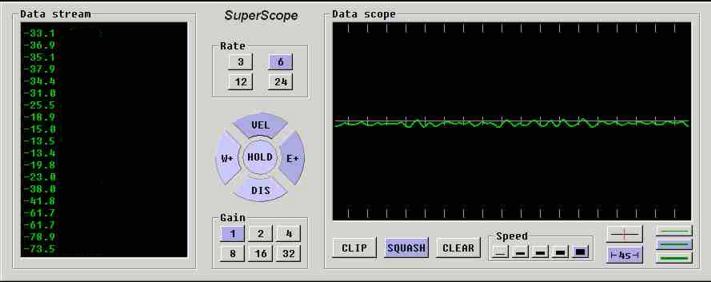
Set the gain to (1) rate (6) and make sure you have (DIS) (squash) switched on .In the LevelPlayer make sure the feedback is switched (off)


Step 2
Step 1
Step 3


When the data is below +/- 2000 and the green bubble is in the centre of the LevelPlayer, the earthquake instrument is level you are almost ready , in the SuperScope , click on (VEL) then go to LevelPlayer and click on the feedback (ON).
If everything is correct you should see in the SuperScope microseismic waves,
close Mission control.


Mission control is the programme used to set up the earthquake instrument.

The next stage is to install AmaSeis software please click on


Step 4